Cut on a Gesture or Hold Through the Pause?
Cut on a gesture or hold through the pause to shape a scene’s rhythm, keep the action legible and give a meaningful hesitation room to register.
In the editing room, a hand reaches for a cup, stops above the handle, then closes around it. The cut could arrive as the fingers move, or the shot could stay long enough for the hesitation to register. Deciding whether to cut on a gesture or hold through the pause is a choice about what the scene asks the viewer to notice.
Rather than judging which version feels more dramatic, watch what changes when the edit arrives at a different moment. A cut during movement can carry attention into the next shot; a held pause can let attention settle on a choice, a reaction or an uncomfortable silence. The scene’s sequence of actions and responses gives you a more useful guide than pace alone.
Find the scene’s turn
Before trimming, identify the moment when the scene changes direction. A character may decide to speak, notice an object, conceal a reaction or abandon an attempt. That turn is the scene’s centre of gravity, even if it lasts only a brief moment in the performance.
Watch the unedited material once without touching the timeline. Note what the character wants at the start, what interrupts that aim and what the viewer needs to understand by the end. Then mark visible actions around the turn: a glance, a shift in posture, a hand entering the frame, a breath held or released. Treat these as possible edit points, not automatic cues to cut.
Separate the physical action from its meaning. A character might turn towards a door because they intend to leave, or because they have heard someone outside. The movement alone does not settle which reading matters. Look at the preceding glance, another character’s response and the next shot before choosing where the edit should land.
Read the gesture
Find the action’s beginning, middle and end. The beginning is the first movement that changes the composition or the character’s posture. The middle is where the action is underway. The end is when it reaches its destination or clearly stops. Scrub through the footage slowly, then watch at normal speed: frame-by-frame viewing can reveal mechanics while obscuring the performance’s natural cadence.
Ask whether the gesture itself carries information. Reaching for a coat may be routine, while pausing with a hand on the sleeve could reveal reluctance. If the movement merely connects one beat to the next, a cut during it can keep the scene moving without making the gesture its subject. If the gesture matters, cutting away too soon may reduce its meaning to incidental business.
Attend to the eyes as well as the hands. Viewers often follow a character’s gaze before they register a small movement elsewhere in the frame. A cut after the eyes turn can direct attention to what the character has seen. A cut before the look is complete can make the next shot feel like a discovery unfolding with them.
Cut during movement
Make a version that cuts while the character is moving. Place the edit after the gesture has begun but before it has settled, then watch the transition at normal speed. The action can carry attention across the cut because it is in progress on both sides. This may make the scene feel connected and brisk without requiring a rapid succession of edits.
Check what the cut makes newly visible. If the next shot reveals the object a character reaches for, attention may shift from the action to its destination. If it moves to another character, the gesture can prompt a reaction. But if the movement ends before its purpose becomes clear, the viewer may wonder whether it was interrupted, abandoned or simply missed.
Preserve enough action in the incoming shot for the body to feel continuous. A hand that jumps position can distract from the scene’s emotional rhythm. Continuity does not require a perfect match in every detail; it asks that the viewer can follow the action without mistaking a rough join for a meaningful break. Listen as well: a breath or sleeve brushing the microphone may expose a cut even when the image feels smooth.
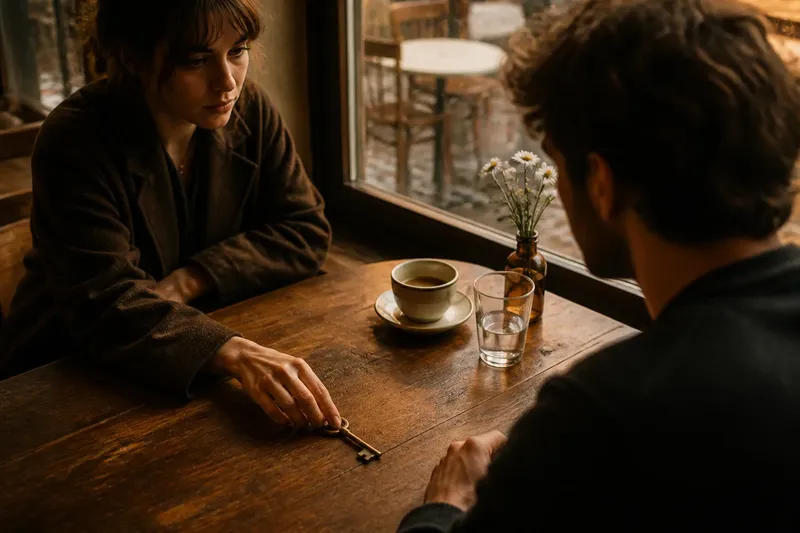
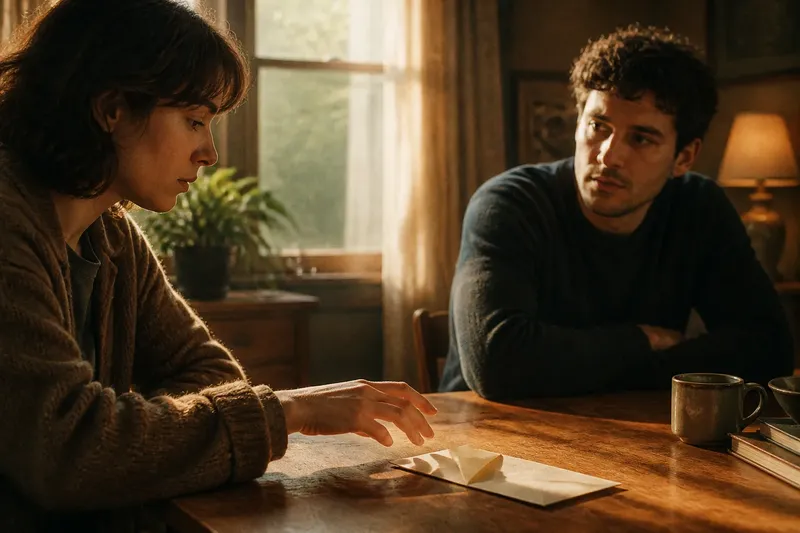
Say you are editing an invented scene in which a person reaches for a letter while another character watches. The hand begins its reach, and the editor cuts to the watcher before the fingers arrive. The expected result is that the watcher’s face becomes the next point of attention, while the continuing movement connects the shots; the trade-off is that the letter itself may remain less prominent.
Hold through stillness
Make a second version that stays on the shot through the pause. Let the gesture arrive, stop and remain still for as long as the performance gives that stillness meaning. A hold can give the viewer time to register an unsaid decision or compare a character’s words with their expression. It can also create unease if the scene has led us to expect a response that does not come.
Not every quiet moment calls for a longer hold. A pause needs something for attention to work on: a change in expression, a withheld reply, a visible object or a telling relation between people in the frame. If nothing shifts and the scene has made its point, extra duration may feel like waiting for the edit rather than reading the character.
Try the hold before trimming away the tail of a performance. An actor may finish a line, then let a reaction emerge after the words end. Keeping that tail can shift emphasis from what was said to what the character cannot quite say. Conversely, if a movement is meant to surprise, cutting into it may preserve its force better than showing the character prepare.
In the invented letter scene, the person reaches the envelope and stops, while the watcher remains silent. The editor holds on the hand as the fingers stay above the paper. The expected result is that hesitation becomes the scene’s clearest beat; the trade-off is that the watcher’s reaction has less room to shape the moment.
Compare the rhythms
Place the two versions side by side in the timeline, or use markers to return to the same in-point. Keep the surrounding shots and sound unchanged. If you alter music, dialogue timing and the cut together, it becomes difficult to tell which change shaped the new feeling.
Watch each version without scrubbing. Then use these checks to make a specific edit decision:
- Check whether the gesture, its destination or another character’s response is noticed first. If the gesture needs to lead, keep enough of its start in view; if the response should lead, cut towards the reacting character; otherwise, hold on the destination.
- Check whether the action feels continuous, interrupted or newly significant. If it appears to jump by accident, adjust the incoming action match; if the interruption is intentional, keep the break; otherwise, try a cut later in the movement.
- Check whether the pause reveals a thought or only delays information already understood. If a new reaction emerges, keep the hold; if the beat is already clear, trim it; otherwise, compare a shorter hold before deciding.
- Check whether the movement’s direction remains legible across the edit. If the hand or body seems to reverse course, adjust the shot or edit point; if the direction reads clearly, keep the join; otherwise, use a view that shows more of the movement.
- Check whether attention arrives at the next beat in time. If the viewer is still working out the previous action, retain a little more of it; if the next beat is clear but feels delayed, cut earlier; otherwise, try an edit that holds on the reaction.
- Check whether the sound supports or contradicts the picture’s timing. If a breath or handling sound stops abruptly, repair the audio join; if it carries the action naturally, keep it; otherwise, use consistent room tone without adding a conspicuous cue.
Use what you notice to choose an edit point, not to pursue a general preference for speed or stillness. A scene can move quickly and still hold on a charged reaction; a quiet scene can cut during a gesture when the action needs to carry us towards a new viewpoint. Rhythm comes from the relationship between neighbouring moments, not from a rule that movement means cut or silence means stay.
Check the sound and join
Once the picture choice is clear, listen with your eyes away from the screen. Dialogue, room tone, footsteps and small handling sounds all affect how a pause feels. A cut may look clean but make a character’s breath seem to stop abruptly. A held image may feel deliberate if the room’s quiet remains present, or strained if sound drops unnaturally at the edit.
Use production sound where it supports the action, and make room tone consistent across a join when needed. Do not add a conspicuous sound merely to disguise an uncertain picture edit. If a breath, chair creak or object movement matters, keep it aligned with the performance. The image and soundtrack should direct attention together rather than offer conflicting cues.
Check eyelines and screen direction as well. If a character looks off-screen, the next shot should make the look understandable or intentionally leave its object unknown. When the edit moves to another person, retain enough of the first character’s gesture for the relation between action and response to read. These details help distinguish a purposeful pause from a continuity problem.
Choose the next beat
Make the final choice by watching beyond the edit. The strongest point may be the one that prepares the scene’s next turn, even if another moment looks more striking in isolation. A cut during movement can create forward pull; a hold can leave a question open. Both can serve the same scene when they support different beats.
There is little value in nudging an edit frame by frame for a long stretch if the performance, shot size or sound already limits the available choices. Settle on the clearest version, move on, then return after working through the surrounding scene. A fresh viewing can help you hear whether the rhythm belongs to the scene or only to your close attention to the timeline.
Which edit suits this moment?
Does cutting on movement always feel faster?
It can create momentum because the action carries attention into the next shot, but the destination matters. A cut to a still reaction can make the moment feel more pointed rather than simply quicker.
How long should a pause remain?
Keep it while the performance continues to offer something to read, such as a withheld response or a changing expression. If the viewer has understood the beat and nothing else develops, try trimming the hold.
Should the cut happen before or after a glance?
Cut before the glance finishes when you want the next shot to complete the discovery with the character. Stay through the look when the character’s reaction to what they see matters more than the reveal itself.
Can sound continue across a picture cut?
Yes. Dialogue or room tone can bridge an edit and make the image transition feel connected. Keep the bridge only when it supports the scene’s timing; it should not conceal a cut that sends attention to the wrong place.
When choosing whether to cut on a gesture or hold through the pause, return to the scene’s shift in attention: what does the viewer need to see, and when? Let movement carry them forward when it connects the beats; let stillness remain when it contains the beat. The practical test is what the next shot asks the viewer to notice, not how neatly the edit fits the timeline.